Reimagining journeys in Oracle Fusion: for employees, suppliers and partners
Oracle Fusion handles the records and approvals. What it doesn’t do on its own is feel like your company. How we rebuilt onboarding, and what the same thinking means for suppliers.
Most people meet an enterprise platform at a moment that matters to them. A new joiner in their first week. A supplier answering a tender. A partner checking on an invoice. At that moment, the screen in front of them usually looks the same as it does at every other company on the same system.
Oracle Fusion does the hard part well: the records, the approvals, the tasks. What it doesn’t do out of the box is feel like your company, or tell each person where they are and what comes next. Those are design problems, and they can be solved inside the platform.
We recently reimagined one of these journeys for a regional banking group with three entities: preboarding and onboarding in Oracle Fusion HCM, from the day an offer is accepted to day 90. Here is what we changed, how we did it, and why the same thinking applies well beyond HR.
What a journey is, and where it breaks
A journey is everything one person goes through to reach something: joining, getting set up, getting paid, registering as a supplier, answering a request for quotation. The platform organises that work by module and task. The person experiences it as one thing.
Journeys tend to break in the same five places:
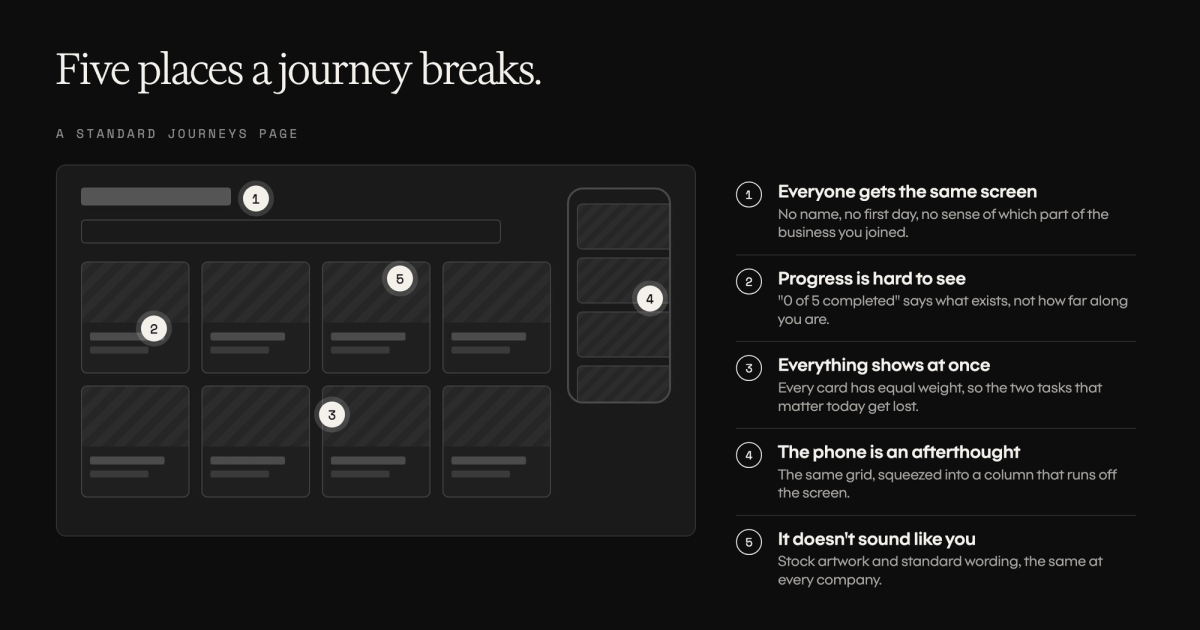
- Everyone gets the same screen. The page doesn’t know who you are, which part of the business you joined, or what you’ve already done.
- Progress is hard to see. A list of tasks says what exists, not how far along you are.
- Everything shows at once. Twenty tasks with equal weight hide the two that matter today.
- The phone is an afterthought. People open these pages on the move, and many layouts don’t hold up.
- It doesn’t sound like you. Standard wording and stock artwork tell a new joiner, or a new supplier, nothing about the company they’re dealing with.
What we changed for new joiners
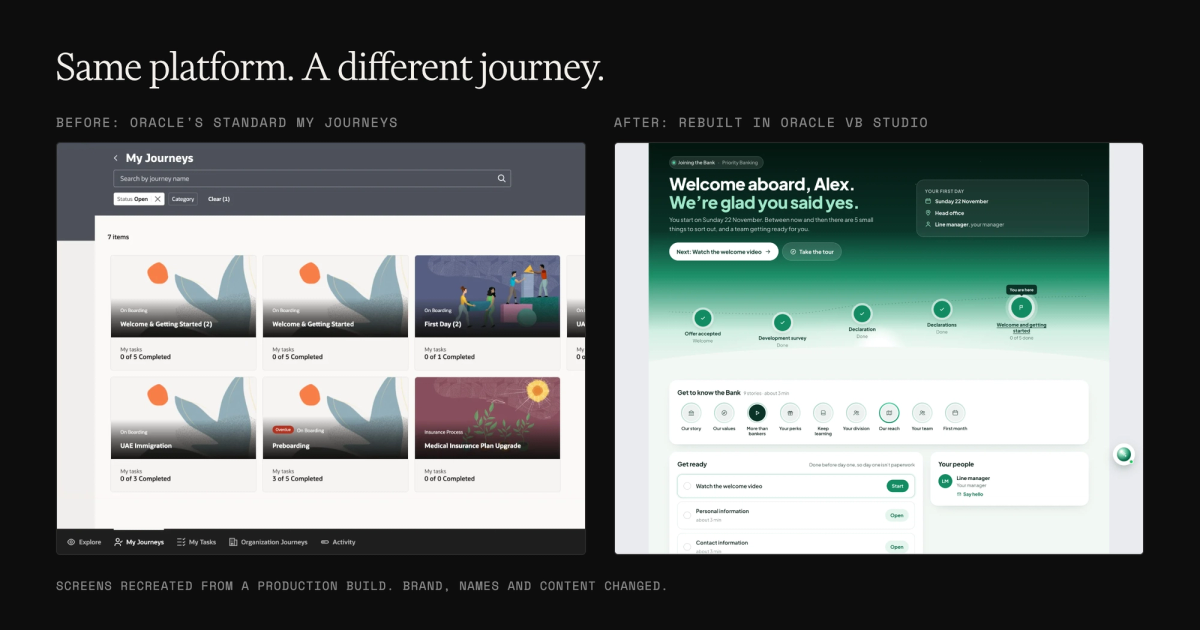
Oracle’s standard My Journeys page shows a grid of identical cards. We turned it into a personal landing page. It greets the joiner by name, shows their first day, and lays every journey out as one route marked “You are here”. Below that sit only the tasks that matter now.
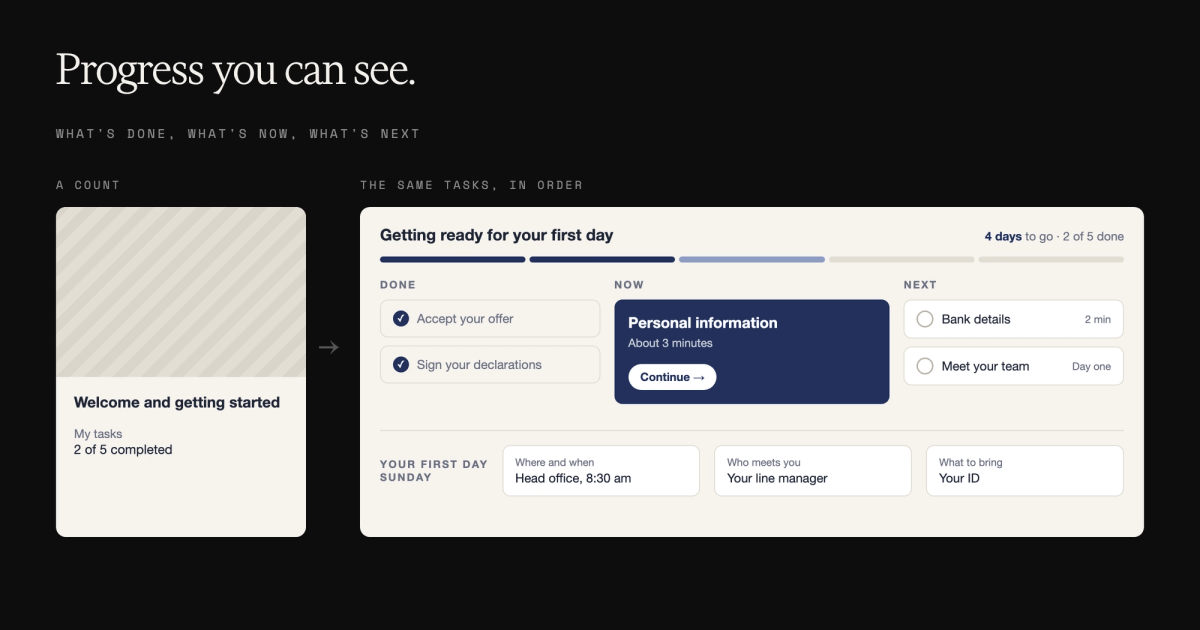
Progress became something you can see, not just count. Each journey shows what’s done, what to do now and what comes next. Task pages keep the whole journey in a side rail, say what comes next, and always offer a way back. The rebuilt pages have their own phone layout, so a joiner on a phone still gets the greeting, the first-day card and the route.
The group runs three entities on one Oracle system, so each joiner’s experience follows their business unit. One code base reads that from the platform’s own data and applies the right colours, type and stories. A joiner at the group’s Islamic bank sees wording suited to Islamic banking. There’s also an AI assistant on the page for questions.
How it was built
All of this sits inside Oracle Fusion, not beside it. We built it in Oracle Visual Builder Studio, Oracle’s own tool for extending Redwood pages, so Oracle’s code stays as it is and the extensions sit on top. We worked on site with the HR, HRIS and communications teams, and every change was tested in a non-production environment first.
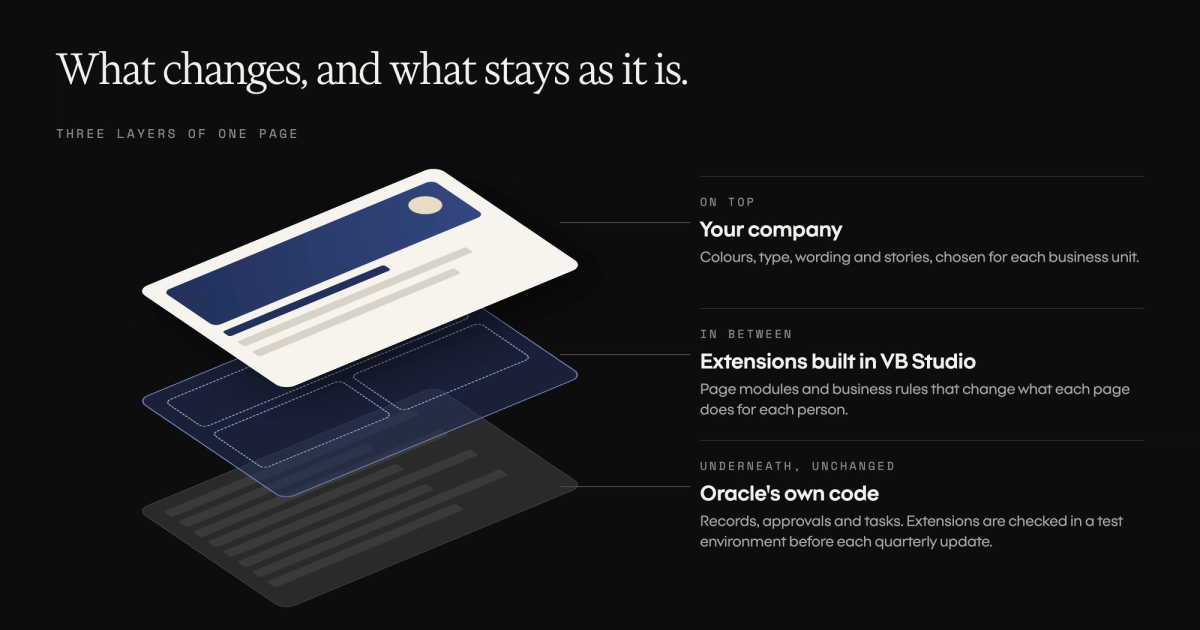
Nobody can promise that a quarterly update will never affect an extended page. So extensions are checked in a test environment before each update reaches production, and we plan for that from the start.
You can see the before and after screens on our enterprise platform experience page.
The same thinking, beyond HR
New joiners aren’t the only people who meet your company through Oracle Fusion. Suppliers do too. Oracle’s Redwood design now reaches them: there is a Redwood Supplier Portal home page with navigation cards, supplier news and notifications, and suppliers can view and respond to negotiations on a single page. Oracle also offers guided journeys outside HR, including in Supply Chain.
That makes the supplier portal a front door, and the same questions apply to it as to onboarding:
- Does a new supplier know what to do first, and what comes after registration?
- Can they see where a tender, an order or an invoice stands without emailing someone?
- Does the portal sound like your company, in English and Arabic?
- Does it work on a phone?
The same front door can be built around different questions. It can lead with the next step, with what the supplier is owed, or with the conversations they’re having with your teams.
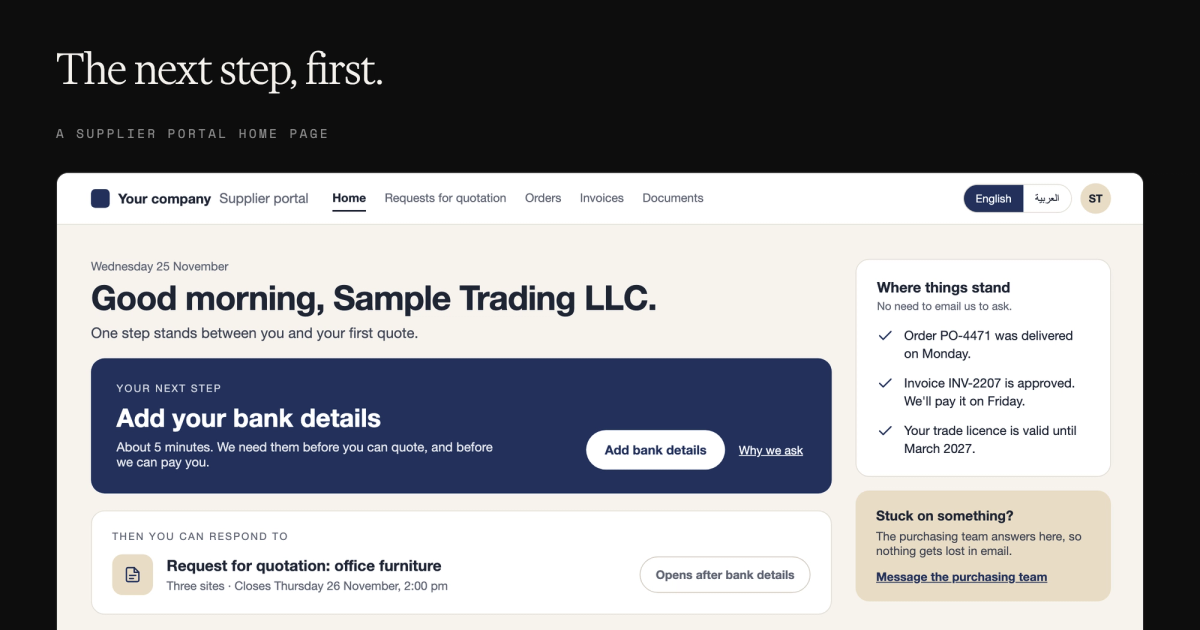
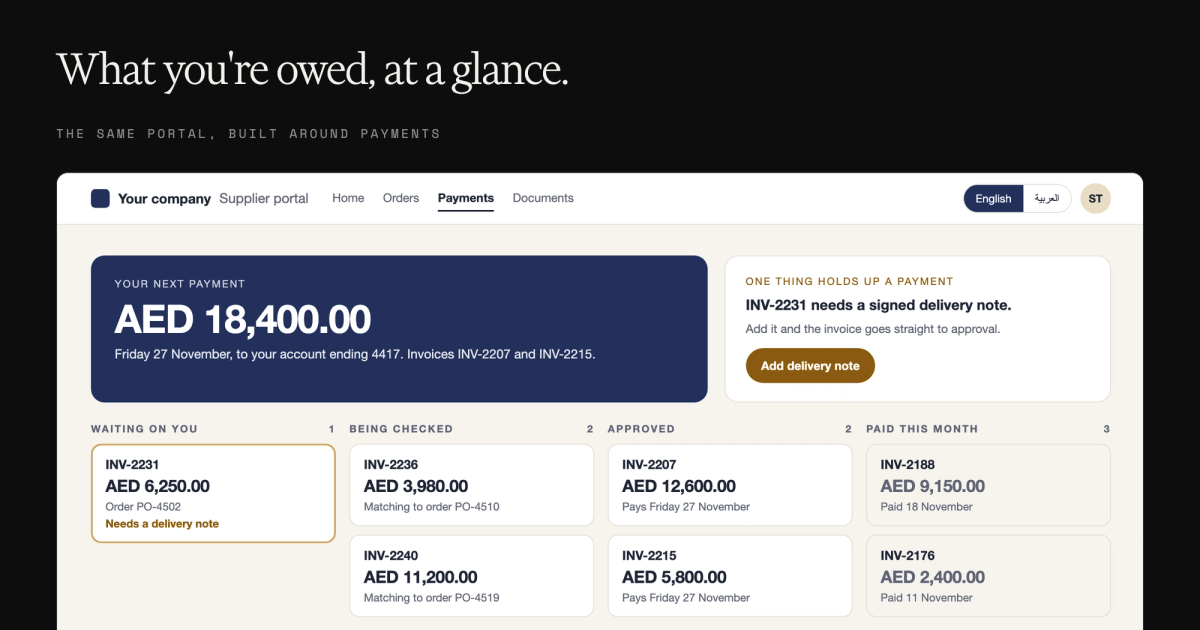
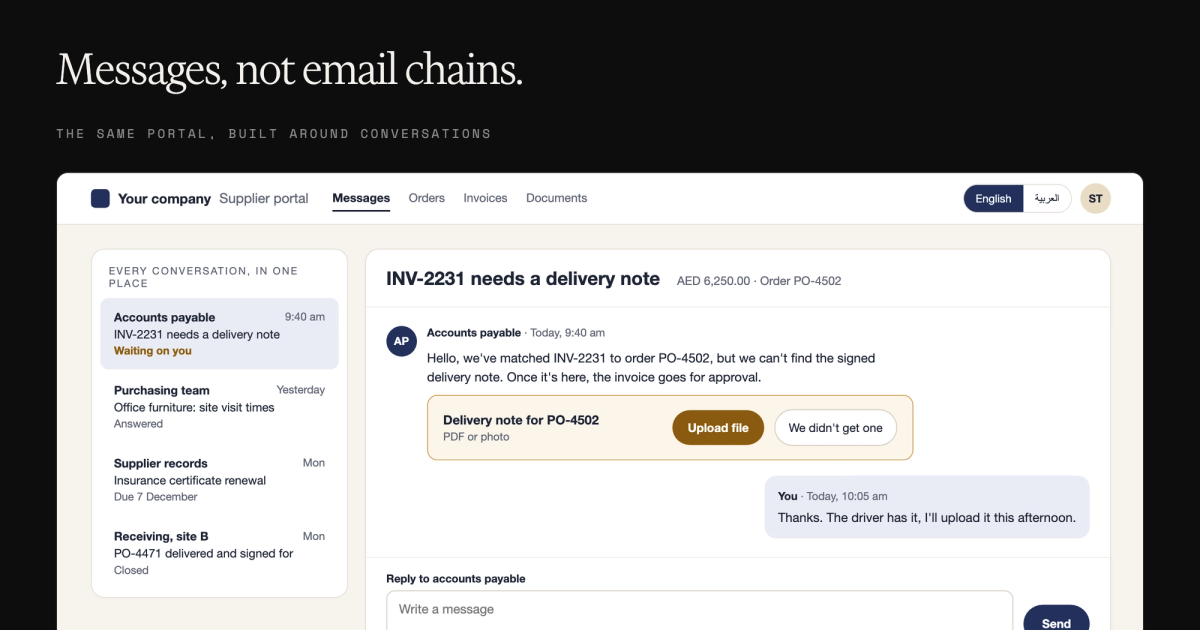
We haven’t built a supplier or partner journey yet, so we won’t claim results. But the approach doesn’t change: start from the person, find where the journey breaks, and change what the platform allows you to change.
What can change, and what can’t
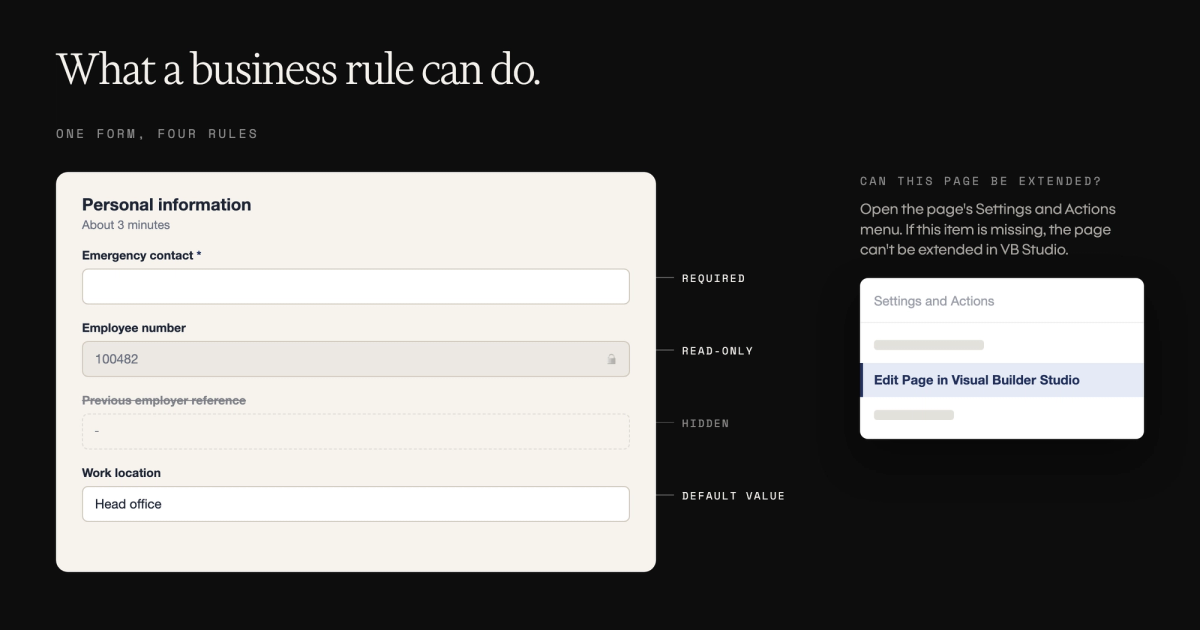
What you can change depends on the page. In Oracle’s guidance for HCM, Supply Chain and Procurement, Express mode is the only Visual Builder Studio mode supported. To check a page, open its Settings and Actions menu and look for “Edit Page in Visual Builder Studio”. If it isn’t there, that page can’t be extended in Visual Builder Studio.
Where a page can be extended, business rules can make fields and regions required, read-only or hidden, and set default values. Beyond rules, page modules and styling can change what the page shows and how it looks. What’s open differs by page and by release, so it’s worth checking your own pages before planning anything.
Where to start
- Pick one journey that matters. Choose one where people drop out, or keep asking HR or procurement for help.
- Walk it as the person. Do it on a phone, as a new joiner or a new supplier, from the first email to the last step.
- Mark the moments. Note the first screen, the points where it’s unclear what comes next, and where people get stuck.
- Check what each page allows. Look for “Edit Page in Visual Builder Studio”, and read the release notes for the Redwood pages you use.
- Decide what kind of change you need. A new look changes colours and type. A new journey also changes what each page does for each person.
- Plan for updates. Agree who checks the extended pages before each quarterly update.
If you’d like a second pair of eyes, book a free 30-minute enterprise platform review. We’ll walk through one journey on your platform with you, and tell you what we’d change and what we’d leave alone.